Dog Pictures With Names
Name your dog photos the smart way. Use clean labels, clear photos, and breed clues that make your gallery easy to browse.
What makes a great labeled dog photo
- Clear lighting so coat color and markings are visible
- Face and body in the frame to capture proportions
- A simple label that includes breed and key traits
- Consistent naming style so photos stay organized
A simple naming template
Use a quick naming format you can repeat across your gallery. This keeps images searchable and easy to scan.
Format
Breed - Color - Age - Location
Example: "Golden Retriever - Cream - 2 Years - Park"
Naming schemes that scale
If you take lots of photos, the best naming system is the one you can keep using without thinking.
Most people start with “Dog.jpg” and end up with a messy camera roll. A scalable naming scheme makes it easy to find the right photo later—especially when you’re searching by breed guess, coat color, or season.
- Date-first: 2026-01-17 - Golden Retriever - Cream - Park
- Trait-first: Curly Coat - Brown - Puppy - Backyard
- Event-first: Grooming Day - Shih Tzu - Before/After
How to label mixed breeds (without over-claiming)
With mixed-breed dogs, a single “perfect” label is often unrealistic. Instead, use labels that describe what you can actually see. If you run the detector and it suggests multiple breeds, treat the list as a shortlist and use your filename to capture the most helpful clue.
- Use “mix” when you’re unsure (example: “Shepherd mix - tan - upright ears”)
- Prefer structure words over colors (ears, muzzle length, tail style)
- Update labels later when you learn more—don’t force certainty early
Popular breed name cards
Golden Retriever
Friendly - Sporting
French Bulldog
Compact - Non Sporting
German Shepherd Dog
Loyal - Herding
Poodle
Smart - Non Sporting
Beagle
Scent Hound
Border Collie
Driven - Herding
Boxer
Playful - Working
Shih Tzu
Cozy Companion
Siberian Husky
Adventure - Working
Dachshund
Bold - Hound
Cavalier King Charles Spaniel
Affectionate - Toy
Rottweiler
Confident - Working
Sample labeled photo
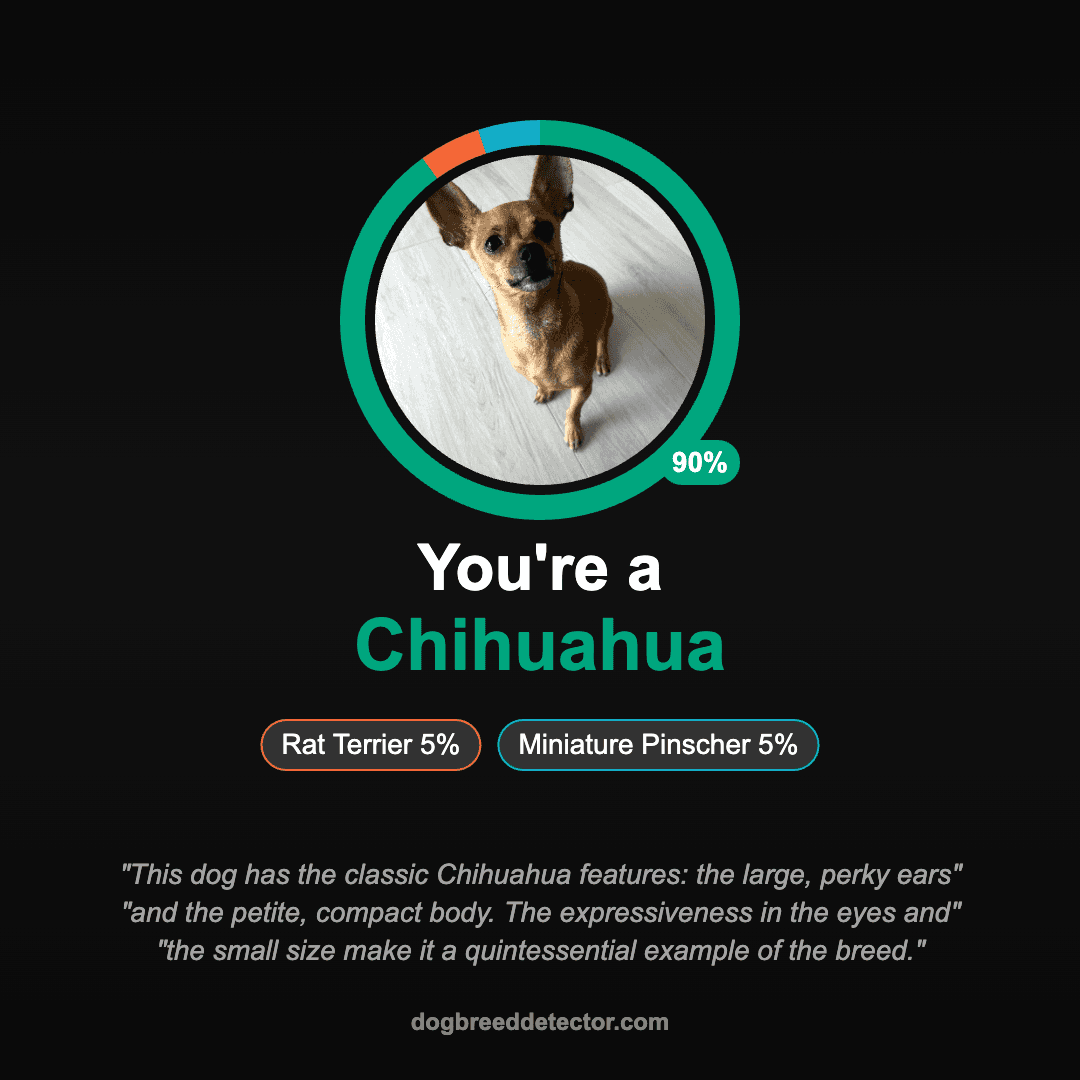
Tip: Add the likely breed name and a key trait (like coat color) so your photos stay organized at a glance.
Next steps
Common labeling mistakes to avoid
- Using different formats every time (“Dog 1”, “dog_2”, “DOG-03”)
- Relying only on coat color (many breeds share the same colors)
- Leaving out the key feature that made you save the photo
- Naming everything “puppy” without noting age or timeframe
Frequently asked questions
How do I label dog pictures with names?
Use a consistent format and include the most helpful identifiers: likely breed, coat color, and one standout trait. If you’re not sure of the breed, label it as a likely mix or use a photo identifier first.
Where can I get the breed name for my dog?
Upload a clear photo to the dog breed detector. The tool will return a shortlist of likely breeds you can use for labeling (and to guide deeper research).
What makes a good dog photo for identification?
Use bright natural light, show the full face, and include a side profile or full body shot. Avoid filters, motion blur, and heavy shadows so the model can “see” structure clearly.
How should I label mixed breed dog photos?
If you’re unsure of the exact breed mix, use labels that stay useful: “likely mix,” coat color, and a standout feature (like “upright ears” or “curly coat”). You can update the label later if you run a DNA test or get stronger photo matches.
Should I include dates or locations in dog photo names?
Including a date or location helps when you have many photos. A simple pattern like “2026-01-17 - Breed - Color - Park” makes your gallery sortable and easy to search later.