Free Online Dog Breed Identifier
Upload a clear dog picture to get likely breed matches, ranked by confidence.
Free to use. No account required. JPG, PNG, HEIC, or clipboard paste.
What a dog photo scan returns
Upload a dog picture for free to get three likely breed matches, ranked by visual confidence. Use the shortlist to compare visible traits and explore breed guides.
These example results came from two individual scans on September 9, 2026. Scores describe the model's visual matches; they are not DNA percentages or a measured chance of being correct. Results can change with the photo.
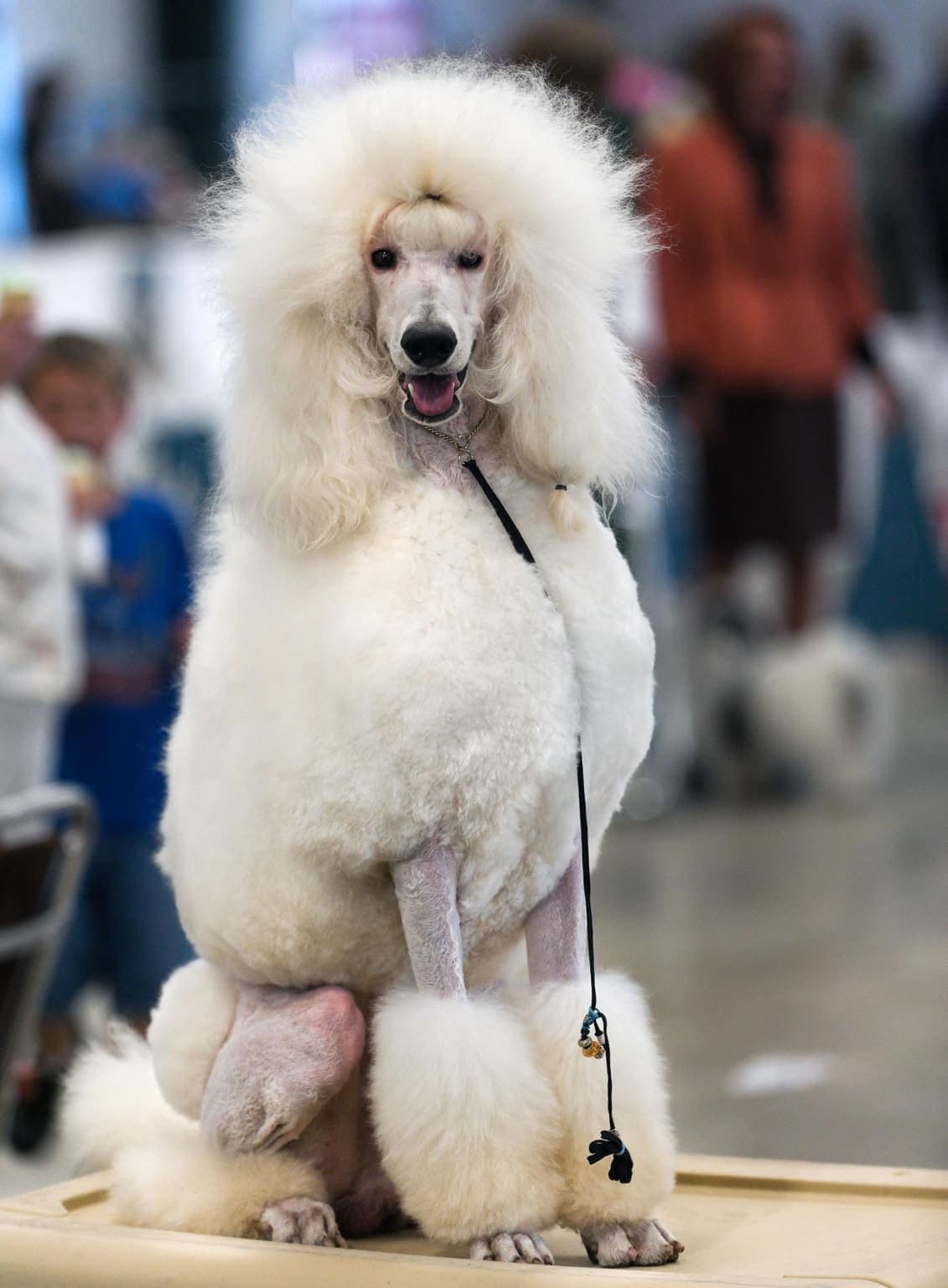
Photo: SheltieBoy from USA · CC BY 2.0
.jpg)
One leading match
- Poodle
- 98%
- Bichon Frise
- 1%
- Bedlington Terrier
- 1%
This Poodle photo returned one strong visual match. Even a high score does not confirm a purebred dog or its ancestry.
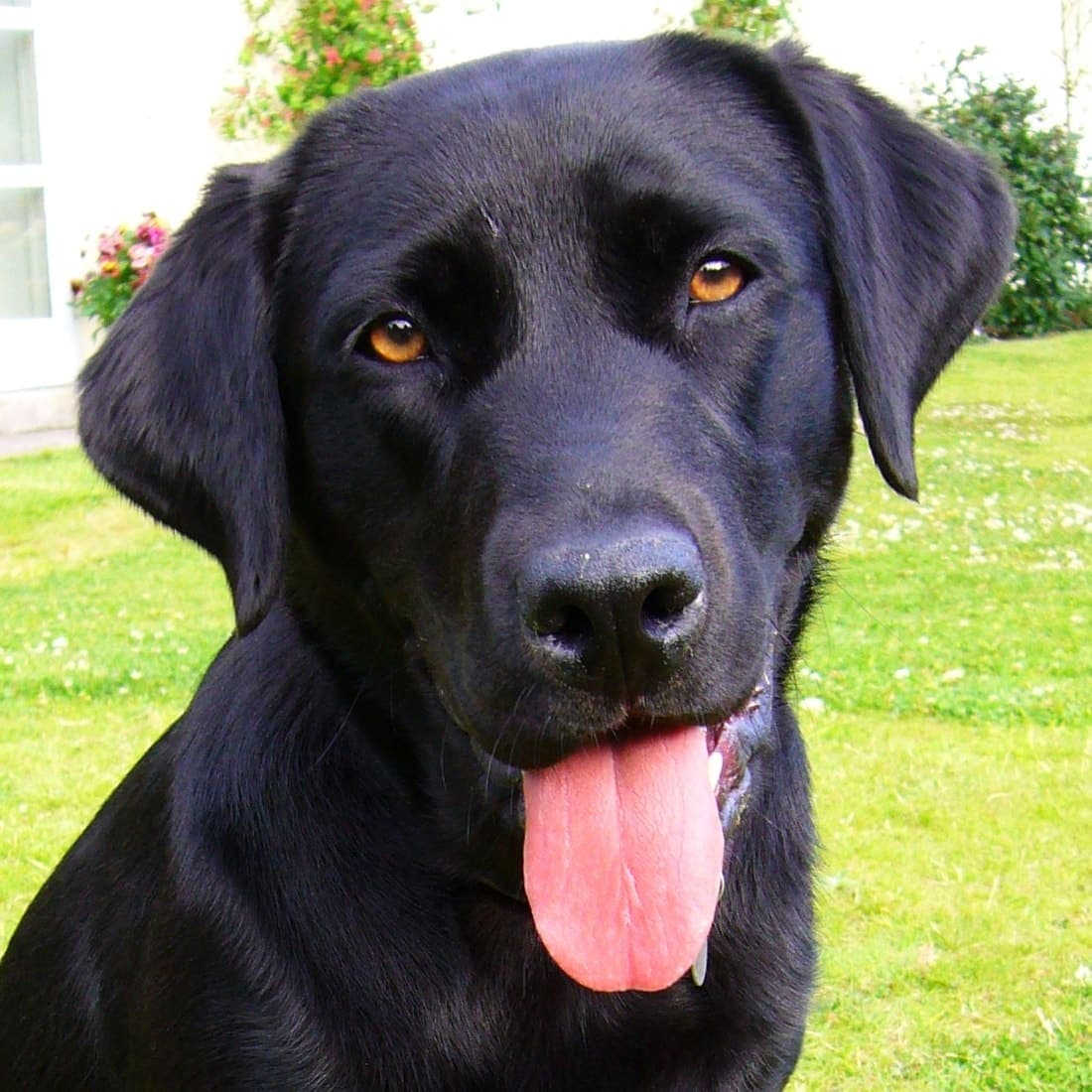
Photo: Jason Oatman · CC BY-SA 3.0

Close alternatives
- Flat-Coated Retriever
- 45%
- Labrador Retriever
- 40%
- Golden Retriever
- 15%
The source identifies this dog as a Labrador Retriever, but the scan ranked Flat-Coated Retriever first. Similar appearances can lead to a wrong top match; compare the shortlist and try a different angle.
After your scan, compare breed traits or read how photo identification works. A photo can suggest resemblance; it cannot establish genetic ancestry.
How the AI identifies breeds
Photo-based identification is essentially pattern recognition. The model looks for combinations of visual signals—like ear set, muzzle length, coat texture, and body proportions—and compares them against learned examples. That’s why angle and lighting matter: the clearer the structure, the stronger the match.
- Run separate scans with different photos to compare visible features
- Expect visually ambiguous dogs to return several close alternatives
- Use confidence scores as guidance, not a final verdict
For step-by-step image tips, see identify dog breed from photo.
How to use your results in real life
The most useful output of a photo-based identifier is a shortlist. Use it to understand what routines might fit your dog. If the top matches include high-drive working breeds, you may lean into structured training games. If they include companion breeds, you may focus on predictable routines and gentle social exposure.
- Compare the top 2–3 matches and look for shared traits
- Prioritize exercise + enrichment that matches energy level
- Plan coat care (brushing, grooming) based on coat type
- Use breed pages as context—not as a rigid label
Tips for Best Results
- Use a clear, well-lit photo
- Make sure your dog's face is visible
- Avoid blurry or dark images
- Compare straight-on, side-profile, and full-body views
- Run each photo as a separate scan, then compare the results
Frequently asked questions
Is this dog breed identifier free?
Yes. The core dog breed identifier is free to use. Upload a photo and you’ll get a shortlist of likely breeds with confidence scores.
Can it identify mixed breed dogs?
It can suggest breeds that look visually similar to a mixed-breed dog, but a photo cannot determine ancestry. Use the shortlist to compare visible traits, and use a DNA test if you need genetic heritage.
What photo works best?
Use a clear, well-lit photo where the dog fills the frame. A side profile and a full-body shot are especially helpful for showing proportions and coat.
Is a DNA test more accurate?
DNA tests can be more definitive for ancestry because they analyze genetic markers. Photo ID is an instant, visual estimate that’s great for quick exploration and sharing.
Why do results change with different photos?
Angle, lighting, and what’s visible in the frame change what the model can “see.” Run separate scans with 2–3 photos from different angles, then compare the shortlists instead of relying on one image.
What should I do after I get a shortlist of breeds?
Open the top matches in the breed directory and compare temperament, size, and care needs. Use the results as guidance for routines—exercise, training games, and grooming—rather than a final identity label.